
Remember Important Dates With a Flower Reminder
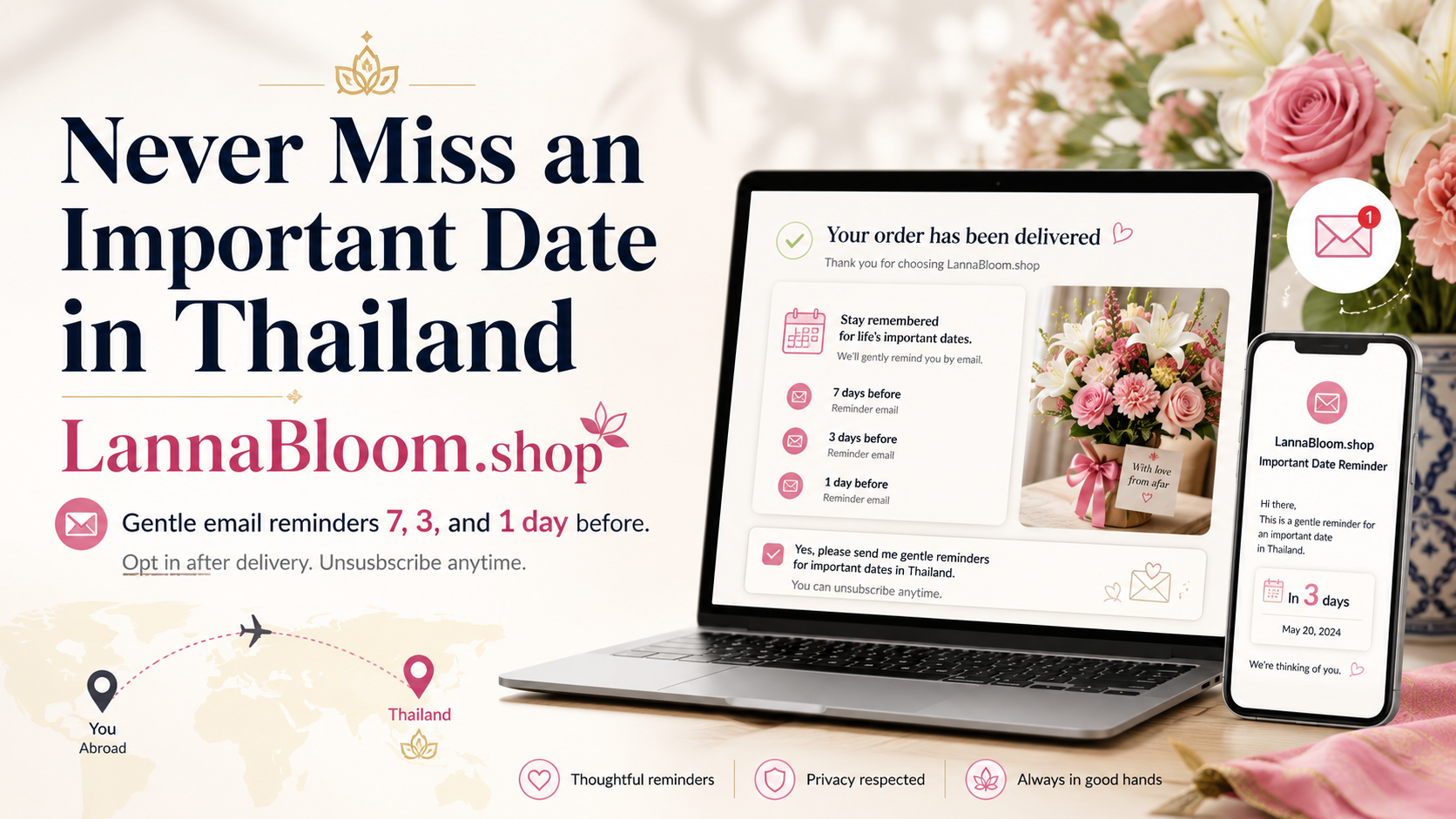
Save a birthday, anniversary, or other date once. Lanna Bloom emails you before the day with a gentle reminder and a bouquet idea. No new account — email only.
After a delivery, you can save a birthday, anniversary, or other date once. Lanna Bloom emails you before the day with a gentle reminder and a bouquet idea. There is no new account — email only.
Written by the Lanna Bloom editorial team. Reviewed by the Lanna Bloom florist team in Chiang Mai.
Quick overview
- Save a date after an order is delivered, or from this page
- We email you 7 days, 3 days, and optionally 1 day before — you choose the timing
- The reminder can include a catalog bouquet suggestion, not a custom florist consult
- Opt-in is required; you can unsubscribe anytime
- The form is English today and does not create a login
How do you start a flower reminder?
Most people first see this after a bouquet has already arrived. The delivered-order email includes a Save My Important Dates button. That link can pre-fill your name and email from the order.
You do not need a recent order to use it. Anyone can open the form and save a date by hand.
- Open the important dates form.
- Add who the flowers are for, the occasion, and the day and month.
- Choose when you want to be reminded (7 and 3 days before is the usual choice).
- Tick the consent box so we may email you about that date.
- Save. You can add another date for a different person or occasion.
Save an important date. It takes less than a minute. We will email you before the day with a gentle reminder and bouquet ideas. Open the important dates form.
What can you save?
The form is for people you already care about — a partner, parent, friend, or colleague — not a generic mailing list.
| Field | What you can choose |
|---|---|
| Relationship | Partner, mother, father, friend, boss, colleague, client, or other |
| Occasion | Birthday, anniversary, Valentine’s, Mother’s Day, congratulations, apology, get well, custom, or other |
| Date | Day and month; year is optional (leave it blank for a date that repeats) |
| Timing | 7 and 3 days before; 7 only; 3 only; or 7, 3, and 1 day before |
| Optional notes | Budget range and flower style, if you have a preference |
Consent is required. Without it, we do not store the date or send reminder emails.
This is not the same as a checkout reminder. If you start an order and do not pay, that is a separate, one-time email about finishing checkout.
What does the reminder email include?
When the date is approaching (using Thailand time), we send a short email for each reminder window you chose.
The email can suggest a bouquet from our catalog based on relationship and occasion — for example a romantic rose bouquet for a partner’s anniversary, or a calmer mix for a parent. It is a starting point, not a promise that one style fits everyone.
You can open the suggested bouquet, choose another from the catalog, or skip ordering that year. Every reminder includes a way to unsubscribe.
Bouquet ideas we may suggest
These are the same styles the reminder emails use as a starting point. Browse them now, or wait until the reminder arrives.
For a partner’s birthday, anniversary, or Valentine’s Day
Soft pink roses suit affection without the heavier “grand statement” of a huge red bouquet — a good default when you want the gift to feel personal.
For a parent or Mother’s Day
A mixed classic bouquet travels well and reads as warm rather than romantic. For Thai Mother’s Day timing (12 August), see Thai Mother’s Day flowers from abroad.
For a colleague, client, or boss
Keep the look polished and not overly intimate. A balanced mixed bouquet is easier in a workplace than a large red-rose statement.
For a friend’s birthday
A brighter red-and-white mix feels celebratory without looking like a couple’s gift. For overseas birthday timing, see birthday flowers to Thailand from abroad.
When you want a clear romantic classic
If you already know red roses are right, this is the reminder email’s fallback suggestion. It is not required — choose what matches the person.
You can also browse by occasion in the catalog: birthday bouquets or the full flower catalog.
A Chiang Mai florist's honest advice
Save the date while the last gift still feels fresh — not a year later when you are guessing the day. A seven-day reminder is more useful than hoping for last-minute same-day delivery, especially if you are ordering from another country.
Same-day is not guaranteed for every destination or every hour. If the date matters, use the reminder to order with time to spare. Availability, fees, and delivery windows still follow the destination and the product you choose.
A suggested bouquet is a nudge, not a rule. If your mum prefers orchids or a smaller mix, pick that instead of the email’s default.
Common mistakes
- ✗ Skipping the consent box — we cannot save the date or email you without it.
- ✗ Adding a year when the date should repeat every year — leave the year blank for birthdays and anniversaries that come around again.
- ✗ Treating the reminder as a same-day delivery promise — it only tells you the date is coming; you still need to order in time.
- ✗ Mixing this up with a checkout reminder — unfinished payment emails are a different, one-time message.
FAQ
Can I save a date if I have not ordered yet?
Yes. The delivered-order email is the usual invitation, but the important dates form is open to anyone. You fill in your email yourself if it is not pre-filled from an order.
Do I need an account?
No. We store the date against the email you provide. There is no customer login.
When will you email me?
You choose: 7 and 3 days before (the default), 7 days only, 3 days only, or 7, 3, and 1 day before. Dates are counted in Thailand time.
Is the form available in Thai?
The form is English today. You can still use it if you are comfortable with English fields. Reminder emails follow the same English templates.
Can I stop the emails?
Yes. Each reminder includes an unsubscribe link. That stops future emails for that saved date.
Will you send flowers automatically?
No. The email is a reminder and a catalog suggestion. You decide whether to order, which bouquet to send, and the delivery date.
Community
Reader comments
Share a tip or question about this guide. Comments are reviewed before they appear.
No comments yet. Be the first to share your thoughts.
Add your comment